
October 16, 2026
Can You Use Special Fonts in Roblox Display Names?
Can you use special fonts in Roblox display names? Learn what works, Unicode text styles, step-by-step guide, and important limits.
Want to give your Roblox display name a different look with bold, cursive, or decorative letters?
You may have seen stylish names online and wondered whether you can use the same characters on your Roblox profile.
The answer depends on which characters Roblox accepts. Unlike social media bios, Roblox display names have specific rules, and not every Unicode font style will work.
Here's what you need to know before trying special fonts, symbols, or unusual characters in your display name.
Does Roblox Allow Special Fonts in Display Names?
Roblox doesn't offer a built-in font selector for display names. You can't choose a custom typeface or upload a font file to change how your name appears.
Some characters outside the basic English alphabet may be supported, depending on Roblox's current naming rules. However, decorative Unicode alphabets, emojis, and unusual symbols aren't universally accepted.
For example, these three names use different characters:
Name example | Character type |
|---|---|
ShadowPlayer | Standard Latin letters |
𝗦𝗵𝗮𝗱𝗼𝘄𝗣𝗹𝗮𝘆𝗲𝗿 | Mathematical bold Unicode letters |
𝓢𝓱𝓪𝓭𝓸𝔀𝓟𝓵𝓪𝔂𝓮𝓻 | Decorative script Unicode letters |
Although the names look similar, Roblox may treat them differently because they contain different Unicode code points.
The bold and script examples are illustrations, not confirmed Roblox-compatible display names.
Roblox Display Name vs. Username: What's the Difference?
Roblox uses two different identifiers for your account.
Your username is your unique account identifier. Other players can use it to find your profile, and changing it generally requires Robux.
Your display name is the name shown to other players in supported Roblox experiences and profile areas. It doesn't have to be unique, and Roblox allows eligible users to change it without paying Robux, subject to a waiting period.
Feature | Roblox Username | Roblox Display Name |
|---|---|---|
Must be unique | Yes | No |
Change cost | Generally requires Robux | Free |
Change frequency | Subject to account rules | Generally once every seven days |
Character restrictions | Yes | Yes |
Custom font installation | Not supported | Not supported |
Roblox display names are generally limited to 20 characters. They also must comply with the platform's naming and moderation rules.
For the latest requirements, refer to the official Roblox Display Names help article.
How to Check Whether a Special Font Works in Roblox
If you want to experiment with a different lettering style, the safest approach is to test it through Roblox's normal display name settings.
You can explore styles using the Roblox Font Generator, but remember that generating text doesn't mean Roblox will accept it.
Open the Roblox Font Generator and enter the name you want to style.
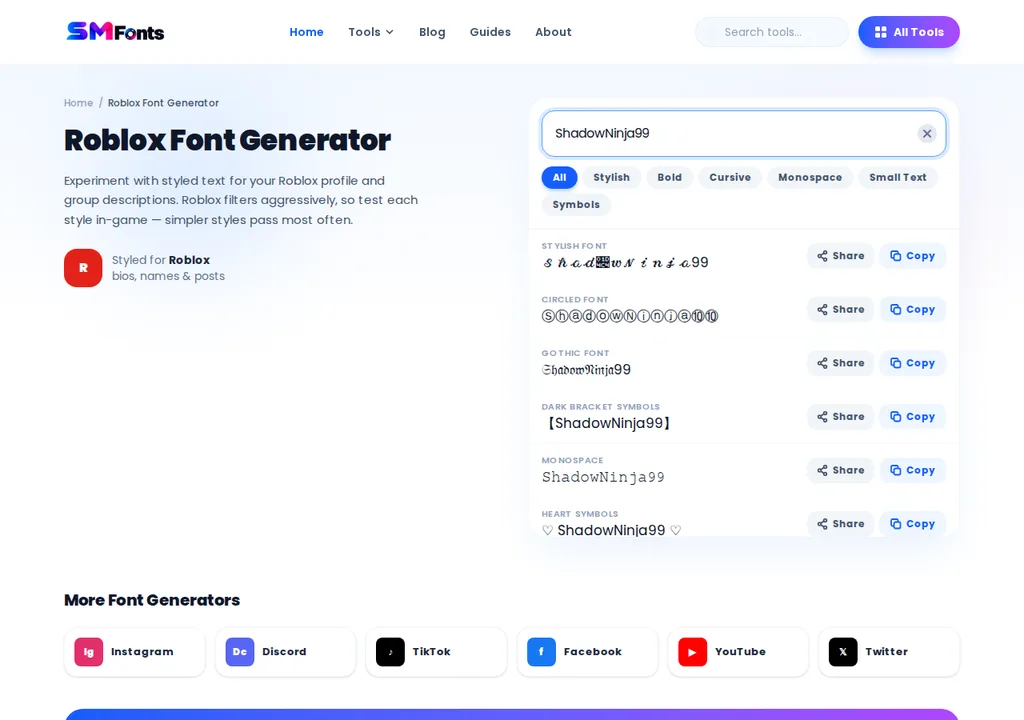
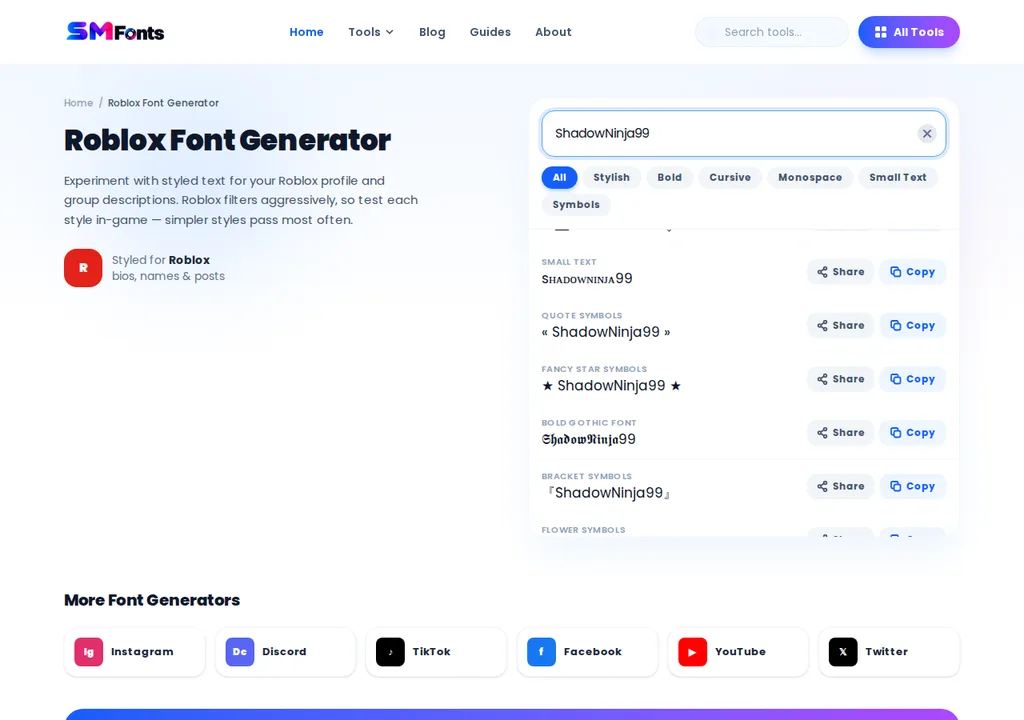
Choose a readable text variation and copy it.

Sign in to Roblox and open Settings.
Go to Account Info and find your display name.
Try pasting the text into the display name field.
Check whether Roblox accepts the characters before confirming any change.
If Roblox rejects the name, don't repeatedly submit variations intended to bypass its restrictions. Choose a supported alternative instead.
Because display name changes are subject to a waiting period, check your spelling carefully before saving.
Why Does Roblox Reject Some Fancy Fonts?
A Unicode font generator can produce hundreds of text variations, but Roblox doesn't necessarily support all of them.
There are several reasons a styled name might be rejected.
Unsupported Unicode Characters
Decorative text generators often use mathematical alphabets, combining marks, and other Unicode characters.
Roblox may restrict these characters in account names even when they display correctly in a browser.
Display Name Moderation
Roblox checks display names against its community and naming rules. Names containing inappropriate words, impersonation attempts, or prohibited content may be rejected.
Changing the lettering doesn't make a restricted name acceptable.
Character and Length Restrictions
A display name must meet Roblox's length requirements. Some visually simple decorative characters may also contain multiple underlying code points.
If a name doesn't save, try using standard letters and a shorter variation.
Character Support May Change
Roblox can update its naming rules and character support. A style shown in an older tutorial may no longer be accepted.
Always rely on the current Roblox interface rather than assuming a copied name will work.
Can You Use Symbols or Emojis in Roblox Display Names?
Not every symbol that works in a chat message or profile description is allowed in a Roblox display name.
Emojis, decorative symbols, and special Unicode characters may be restricted. Roblox also applies moderation rules to names that could be misleading or inappropriate.
It's useful to distinguish between three things:
Display names: Account-level names with Roblox's naming restrictions.
Chat messages: Text processed through Roblox's communication and moderation systems.
In-game text: Text displayed by an experience, which may use fonts and visual styles selected by its developer.
A font or symbol visible inside a Roblox experience isn't necessarily available for your account display name.
How to Make Your Roblox Display Name Look Unique Without Fancy Fonts
You don't need decorative Unicode characters to create a memorable display name.
Start with a short name that other players can recognize and type easily.
For example:
Basic name | Alternative idea |
|---|---|
ShadowPlayer | ShadowNova |
PixelGamer | PixelQuest |
StarBuilder | StarForge |
NightRunner | NightSprint |
BlockMaster | BlockPilot |
These examples use ordinary Latin letters, making them easier to read and less dependent on unusual character support. Acceptance still depends on Roblox's current rules and moderation.
You can also create a recognizable name by combining a favorite theme, gaming interest, or short original word.
Avoid copying another player's identity or using names that could confuse people about who owns an account.
What Should You Do if Your Display Name Won't Save?
If Roblox rejects your new display name, start by checking the basics:
Make sure the name meets the current length limit.
Replace decorative Unicode letters with standard characters.
Remove unsupported symbols or emojis.
Check whether you've changed your display name recently.
Avoid names that violate Roblox's moderation rules.
If a simple, appropriate name still doesn't save, check Roblox's official support guidance for current restrictions or account-related issues.
The key point: A font generator can help you explore creative lettering, but Roblox decides which characters are permitted in display names. Choose a name that's readable, follows the rules, and works reliably across the platform.
Final Thoughts
Roblox doesn't provide a built-in font selector for display names, and many decorative Unicode styles may not be accepted. You can test different characters through your account settings, but a font generator cannot guarantee compatibility.
If Roblox rejects your chosen style, try standard letters or create a unique name by combining words related to your gaming interests. Keep your display name readable and follow Roblox's naming rules.