
October 16, 2026
How to Customize Text in Your Twitch Bio
Learn how to customize text in your Twitch bio with stylish Unicode fonts. Step-by-step guide, font examples, and pro tips.
Your Twitch bio gives new viewers a quick introduction to who you are and what you stream. Whether you play competitive games, host Just Chatting sessions, or create art live, a clear description helps visitors decide whether to follow your channel.
You can also use bold-looking letters, cursive text, or simple symbols to highlight parts of your bio. Twitch doesn't offer a custom font picker for profile descriptions, but some Unicode text styles can be copied and pasted into supported fields.
Here's how to customize your Twitch bio while keeping it readable and useful for viewers.
How to Change the Font in Your Twitch Bio
You don't need to install a font or browser extension to create decorative text for your Twitch profile.
Follow these steps:
Open the Twitch Font Generator.
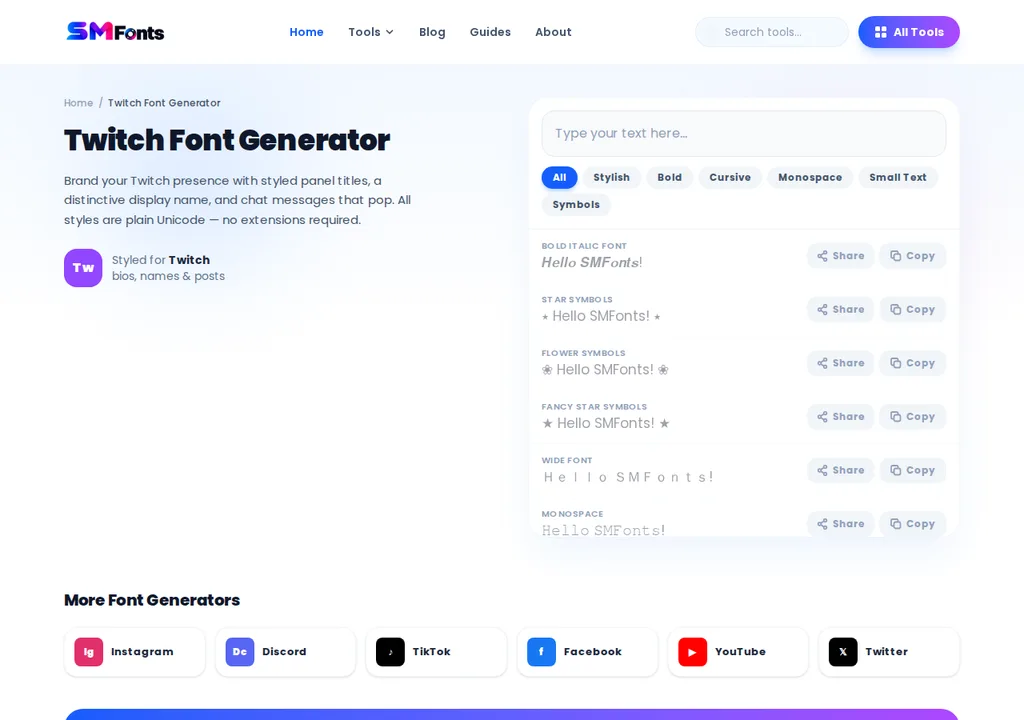
Enter the word or short phrase you want to customize.
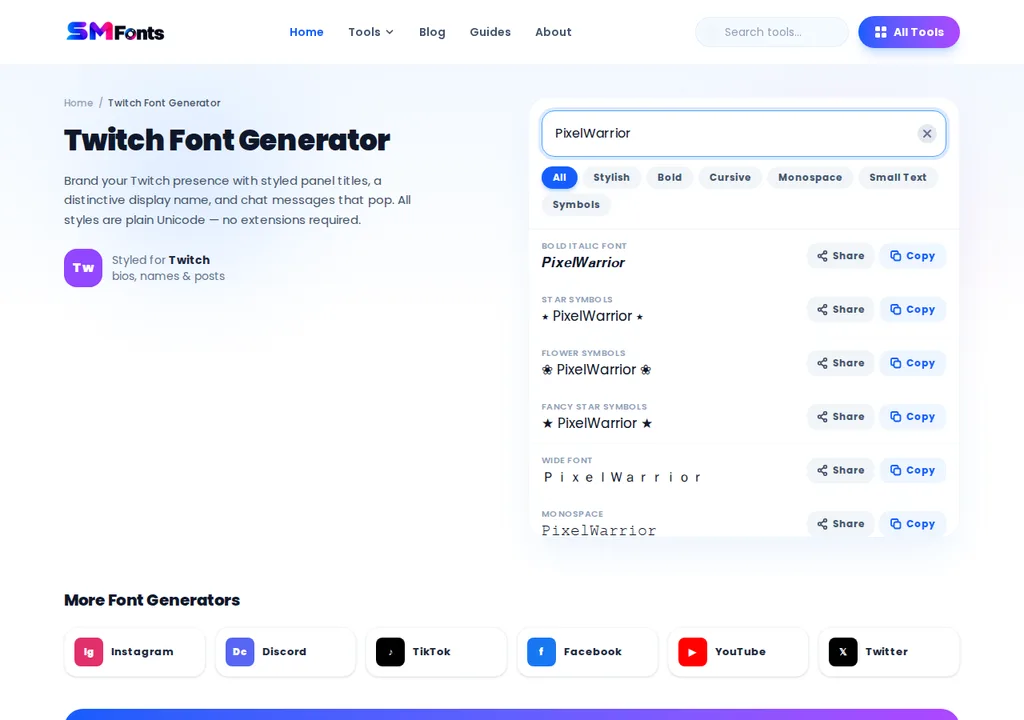
Browse the available text styles, including bold, italic, and cursive lettering.
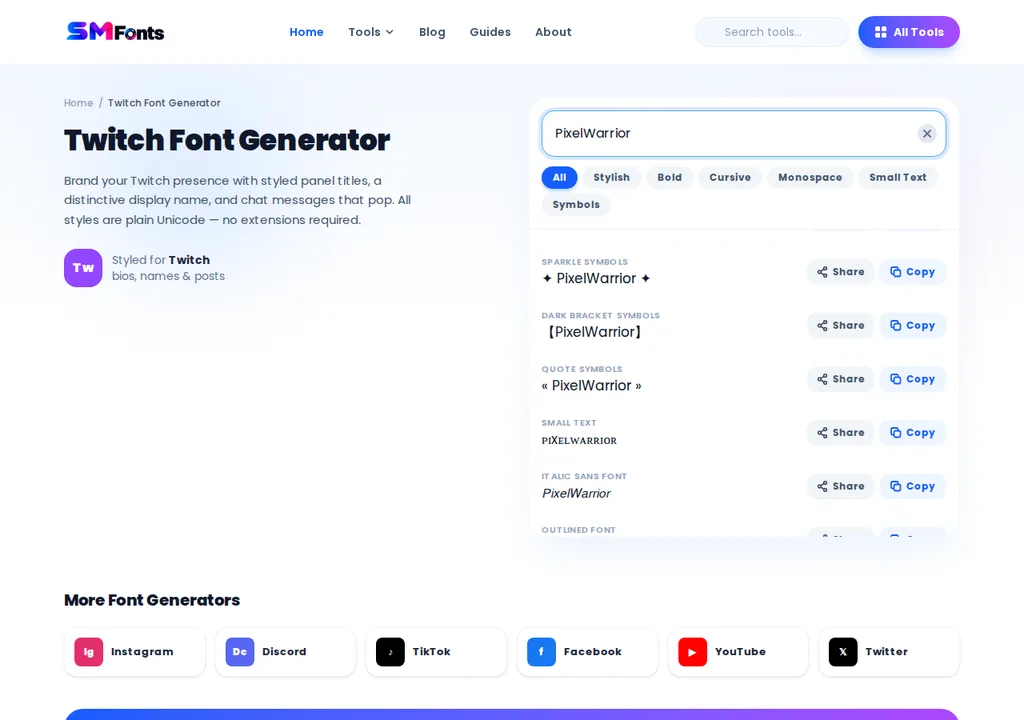
Copy a readable style.

Open the Creator Dashboard and go to Settings > Channel > About.
Under Profile Settings, find the Bio field, paste your styled text, and click Save Changes.
Open your channel page to check how it appears to viewers.
Twitch occasionally changes its dashboard layout, so the exact location of profile settings may differ.
For example:
Regular Text | Stylish Text |
|---|---|
Variety Streamer | 𝗩𝗮𝗿𝗶𝗲𝘁𝘆 𝗦𝘁𝗿𝗲𝗮𝗺𝗲𝗿 |
Live Tonight | 𝙇𝙞𝙫𝙚 𝙏𝙤𝙣𝙞𝙜𝙝𝙩 |
Gaming & Chatting | 𝓖𝓪𝓶𝓲𝓷𝓰 & 𝓒𝓱𝓪𝓽𝓽𝓲𝓷𝓰 |
These styles use alternative Unicode characters rather than changing Twitch's actual font.
What Should You Write in Your Twitch Bio?
A useful Twitch bio answers a few basic questions: Who are you, what do you stream, and when can viewers expect to find you live?
You don't need a lengthy introduction. A short description with a clear streaming focus is often enough.
For example, a US-based variety streamer could write:
𝗛𝗲𝘆, 𝗜'𝗺 𝗔𝗹𝗲𝘅!
Variety streamer playing Valorant, Minecraft, and indie games.
Live Tuesday, Thursday, and Saturday at 7 PM ET.
Come hang out, chat, and enjoy the games.
This example includes the creator's introduction, gaming interests, and a schedule with a US time zone.
If you stream regularly, include accurate days and times. If your schedule changes frequently, direct viewers to your channel's schedule instead of listing outdated hours.
Which Text Styles Work Best for Twitch Profiles?
Different text styles create different impressions, but readability should guide your choice.
Text Style | Example | Suggested Use |
|---|---|---|
Bold | 𝗦𝘁𝗿𝗲𝗮𝗺𝗲𝗿 | Short introductory headings |
Italic | 𝘚𝘵𝘳𝘦𝘢𝘮𝘦𝘳 | Short taglines |
Cursive | 𝓢𝓽𝓻𝓮𝓪𝓶𝓮𝓻 | Personal branding accents |
Monospace | 𝚂𝚝𝚛𝚎𝚊𝚖𝚎𝚛 | Minimalist or tech-themed profiles |
Double-struck | 𝕊𝕥𝕣𝕖𝕒𝕞𝕖𝕣 | Occasional decorative text |
A bold heading can help separate your introduction from other details. Cursive or highly decorative lettering is better reserved for very short phrases.
Avoid using multiple styles in every sentence. That can make your bio harder to read, particularly on mobile devices.
Can You Use Stylish Fonts in Twitch About Panels?
Your Twitch bio and channel panels serve different purposes.
The bio is a short introduction, while the About section can include panels for your streaming schedule, social media accounts, equipment, community rules, and other details.
Twitch panels can contain text, links, and images, depending on the panel type and available editing features.
You can use short Unicode headings in supported text fields, but panels may also support native text formatting. Where native formatting is available, it's generally a better choice for important information.
For example, a channel could organize its About section with these headings:
𝗔𝗯𝗼𝘂𝘁 𝗠𝗲
A short introduction to the streamer.
『𝗦𝘁𝗿𝗲𝗮𝗺 𝗦𝗰𝗵𝗲𝗱𝘂𝗹𝗲』
Regular streaming days and time zone.
★ 𝗖𝗼𝗺𝗺𝘂𝗻𝗶𝘁𝘆 𝗥𝘂𝗹𝗲𝘀 ★
Expectations for respectful chat participation.
For a more customized visual design, Twitch also allows creators to use panel images. Those are separate graphics, not copy-and-paste text fonts.
Why Are Some Twitch Fonts Not Displaying Correctly?
Decorative Unicode characters don't always behave like ordinary letters. You may notice differences between desktop browsers, Android devices, and iPhones.
Unsupported Characters
Some Unicode symbols may appear as empty squares or replacement characters when a device lacks the required font support.
Try a simpler style if your text doesn't display correctly.
Text Looks Different on Mobile
A phrase that looks attractive on a desktop monitor may be difficult to read on a smaller screen.
Check your channel page on mobile before keeping a highly decorative style.
Screen Readers May Interpret Text Differently
Some decorative Unicode alphabets are based on mathematical symbols rather than standard letters. Assistive technologies may read them differently from ordinary words.
Keep important information, such as your schedule, community rules, and contact instructions, in regular text.
Can You Change Your Twitch Username Font?
No, you can't freely change your Twitch username to a decorative font. Twitch usernames must follow the platform's naming rules, which don't allow you to replace letters with arbitrary Unicode alphabets.
Your bio and supported channel panel fields offer more flexibility for using stylish text. Keep your username simple and easy to type, and use bold or cursive Unicode characters selectively in your profile description.
For more information about account settings, visit the official Twitch Help Center.
Final words
Customizing your Twitch bio with stylish text is a simple way to give your channel a more personal look. You can use bold, cursive, or other Unicode styles to highlight short headings and phrases without installing extra fonts.
Keep your introduction, streaming schedule, and important details easy to read. Before saving your changes, check how the text appears on desktop and mobile to make sure viewers can understand it.