
October 15, 2026
How to Change Fonts in Your Instagram Bio
Learn how to change fonts in your Instagram bio with stylish Unicode text. Step-by-step guide, font examples, 150-character limit tips, and troubleshooting.

Want to give your Instagram bio a different look?
You can use bold, cursive, or stylish text to highlight your name, profession, or a short phrase.
Instagram doesn't have a built-in font selector for bios, but you can copy and paste Unicode characters that resemble different font styles. You don't need to install an app or change your phone's keyboard.
Here's how to do it and what to consider before updating your profile.
How to Change Your Instagram Bio Font
You can customize your Instagram bio using an online font generator. The process works on both iPhone and Android, although some characters may display differently depending on the device.
Open the Instagram Font Generator.
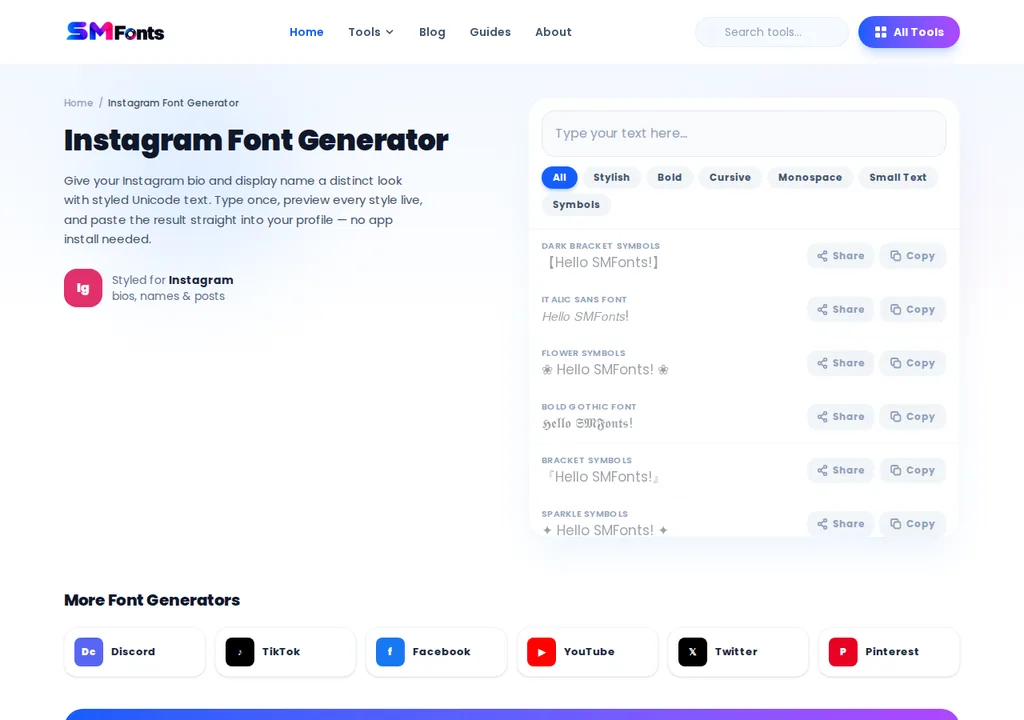
Enter your name, tagline, or the text you want to customize.
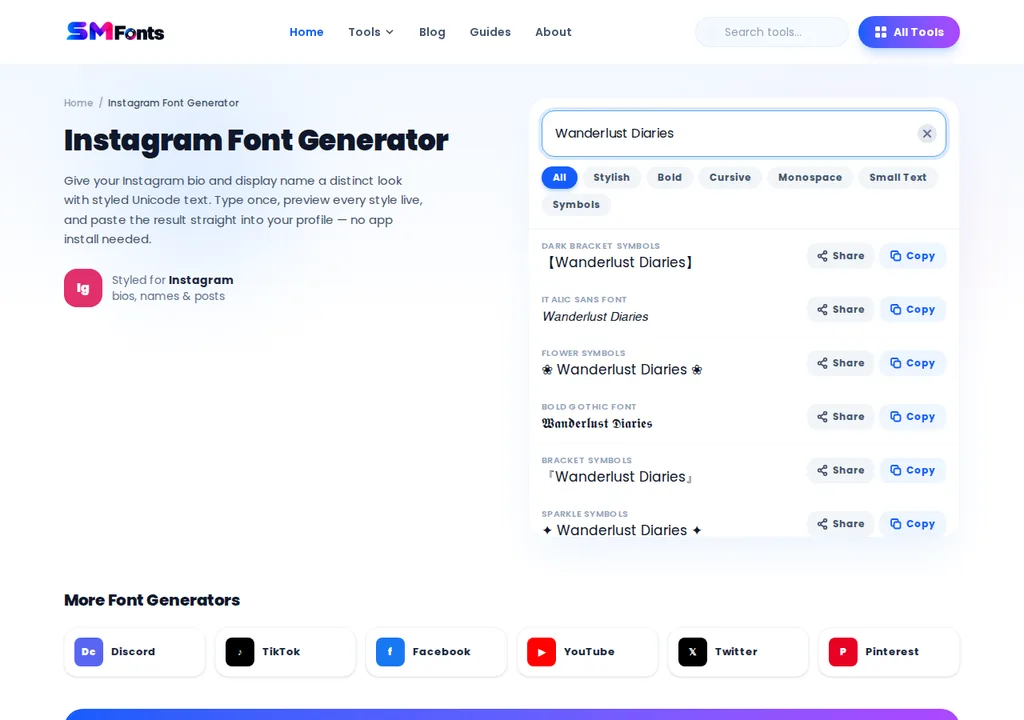
Browse the available styles, such as bold, cursive, italic, or decorative lettering.
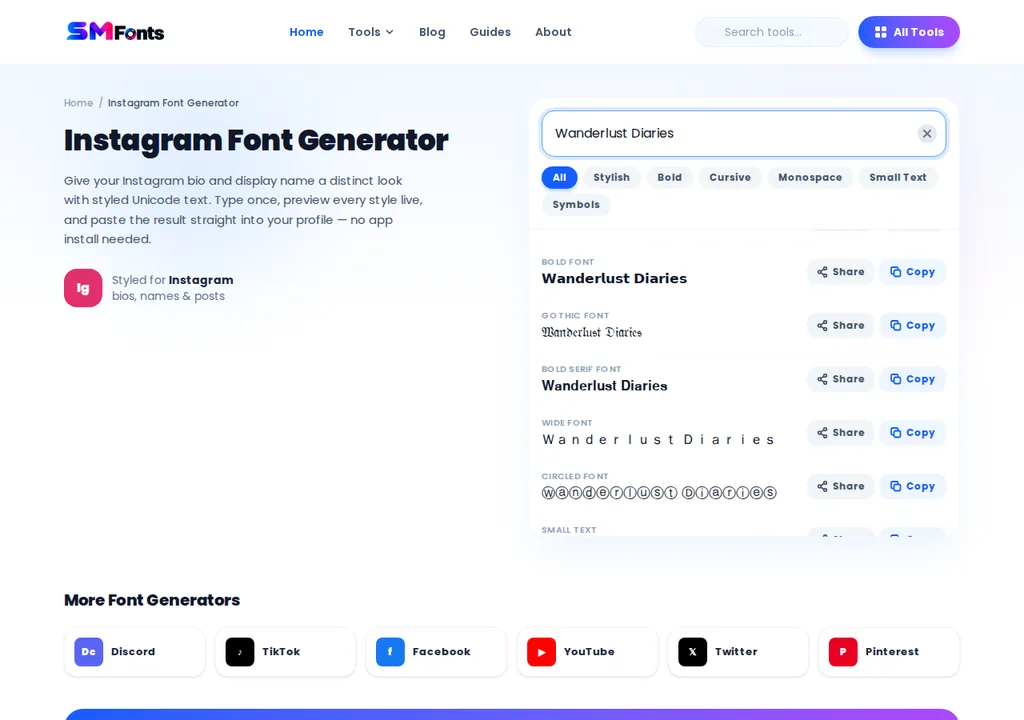
Copy your preferred text style.

Open Instagram and go to your profile.
Tap Edit profile.
Paste the styled text and save your changes.
For example, you could change regular text into one of these styles:
Original Text | Styled Text |
|---|---|
Digital Creator | 𝓓𝓲𝓰𝓲𝓽𝓪𝓵 𝓒𝓻𝓮𝓪𝓽𝓸𝓻 |
Travel & Lifestyle | 𝗧𝗿𝗮𝘃𝗲𝗹 & 𝗟𝗶𝗳𝗲𝘀𝘁𝘆𝗹𝗲 |
New Adventures | 𝙉𝙚𝙬 𝘼𝙙𝙫𝙚𝙣𝙩𝙪𝙧𝙚𝙨 |
These styles use alternative Unicode characters rather than traditional font files. You're changing the appearance of the text, not Instagram's actual typeface.
Which Instagram Bio Fonts Should You Use?
The right style depends on your profile and the information you want visitors to notice.
A content creator might prefer cursive lettering for a personal touch, while a business account may benefit from a simpler bold style.
Font Style | Example | Best Use |
|---|---|---|
Bold | 𝗖𝗿𝗲𝗮𝘁𝗼𝗿 | Professions and short headings |
Cursive | 𝓒𝓻𝓮𝓪𝓽𝓸𝓻 | Personal and lifestyle profiles |
Italic | 𝘊𝘳𝘦𝘢𝘵𝘰𝘳 | Short phrases |
Monospace | 𝙲𝚛𝚎𝚊𝚝𝚘𝚛 | Tech and minimalist profiles |
Double-struck | ℂ𝕣𝕖𝕒𝕥𝕠𝕣 | Decorative highlights |
You don't need to style your entire bio. For example, a photographer could use:
𝓟𝓱𝓸𝓽𝓸𝓰𝓻𝓪𝓹𝓱𝓮𝓻
Portraits & everyday moments
NYC | Available for bookings
Explore my work ↓
The profession stands out, while the location and booking details remain easy to read.
For business profiles, keep your brand name, services, and contact information in regular text whenever possible.
What is the Instagram Bio Character Limit?
Instagram allows up to 150 characters in a profile bio. This includes spaces, punctuation, emojis, and line breaks.
Decorative Unicode text can also affect character counting because some visible symbols consist of multiple underlying characters. If your bio doesn't save, check its length and simplify any unusual symbols.
A useful bio should quickly explain:
Who you are or what your business does.
What kind of content or services you offer.
What visitors should do next.
For more ideas, Meta's official guide on creating an Instagram bio discusses how individuals, creators, and businesses can introduce themselves effectively.
Some Pro Tips You Can Follow
Keep these tips in mind when customizing your Instagram bio fonts:
Keep it readable: Use decorative fonts for short phrases, names, or headings instead of your entire bio.
Avoid too many styles: Stick to one or two font styles to keep your profile neat.
Check character limits: Make sure your bio stays within Instagram's 150-character limit.
Test on different devices: Check how your bio looks on iPhone and Android to spot unsupported characters.
Keep important details simple: Use regular text for contact information, services, and other essential details.
Preview before saving: Review the copied text to make sure the letters and symbols appear as expected.
Why Are Some Instagram Bio Fonts Not Working?
Most copy-and-paste text styles work by using Unicode characters, but not every character displays or behaves the same way across devices.
Some Letters Appear as Boxes
If a decorative letter appears as an empty square or missing symbol, your device may not support that character.
Try a simpler style or replace the unsupported letters with regular text.
Instagram Won't Save Your Bio
First, check whether your bio exceeds the character limit. If the length is acceptable, remove unusual symbols and try saving the text again.
You can add decorative characters gradually to identify which ones cause problems.
The Text Is Difficult to Read
Highly decorative lettering can be harder to recognize, especially for people using screen readers.
Use styled text for short phrases rather than entire paragraphs. Keep important information, including contact details and service descriptions, readable.
Can You Change Your Instagram Username Font?
No, you generally can't change your Instagram username to a decorative font because Instagram restricts the characters allowed in usernames.
Your username is your unique account handle, such as @creative.studio. Your display name, which appears on your profile, may support some Unicode text styles, depending on Instagram's restrictions.
Your bio offers more flexibility for using decorative lettering. To give your profile a stylish look, keep your username simple and use bold, cursive, or other decorative text in your bio instead.
Final Words
Changing your Instagram bio font is a simple way to personalize your profile and highlight important details. You can use an Instagram font generator to create bold, cursive, italic, or decorative text and copy it directly into your bio.
Keep your chosen styles readable, avoid excessive decoration, and check how they appear on different devices. A few well-placed styled words can make your profile stand out without making essential information difficult to read.